AI That Speaks Your Business Fluently.

Stop generic answers. Train WaviBot on your unique knowledge in minutes. Deliver instant, accurate support & insights, 24/7 on WordPress.

  • Train easily with Docs, URLs, or Text
  • GPT-4o mini Power & Smart Search
  • Voice, Multilingual & CRM Included
  • Boosts Engagement & Conversions

Trusted by 1000+ WordPress Sites

Generic Bots Don’t Cut It.
Your Visitors Deserve Accuracy.

Don’t let unhelpful chatbots drive customers away. Generic responses waste time and erode trust. WaviBot AI Chatbot CRM is different. It acts as your intelligent knowledge expert, trained specifically on your information.

Engage visitors instantly with accurate, relevant answers straight from your own data, building confidence and providing real value, 24/7.

Generic Bot
Can you tell me about the return policy for custom items?
I can help with general returns. See our policy page: [Generic Link]
That doesn’t answer my question about *custom* items…
Sorry, I don’t understand. Can I help with something else?
WaviBot Icon WaviBot (Trained)
Can you tell me about the return policy for custom items?
According to our policy (sec 4.2), custom items are non-refundable unless defective (report within 7 days).
Okay, thank you!
You’re welcome! Can I assist further?

Generic vagueness vs. WaviBot’s trained precision.

The Intelligent Features You Need

Custom Knowledge Base

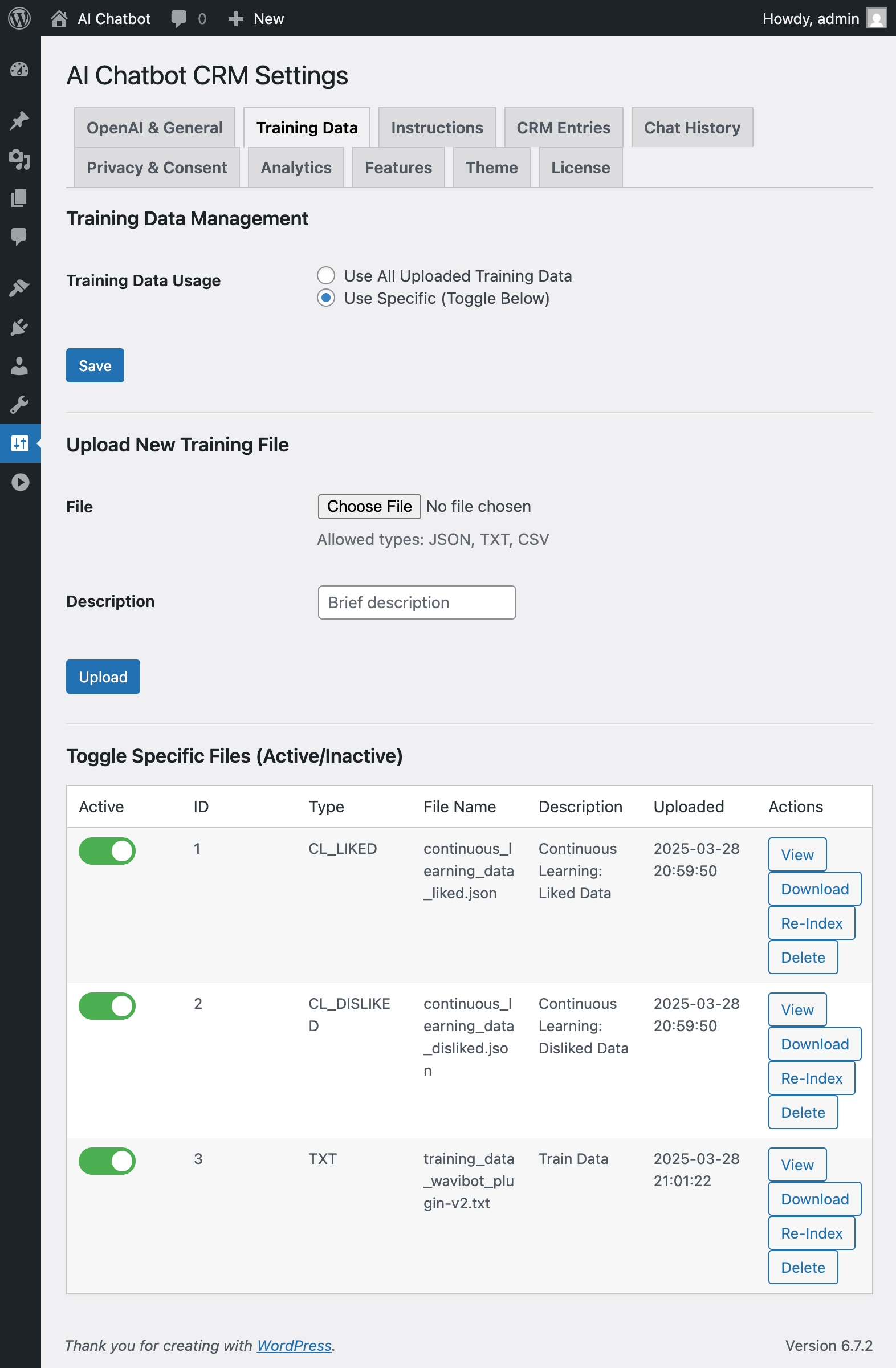
Effortlessly train WaviBot with your documents (txt, json, csv), website content (URL crawl), or direct text input.

Advanced Vector Search

Go beyond keywords. Understands context and meaning via OpenAI Embeddings for hyper-relevant answers.

Fine-tune AI Behavior

Use the Instructions Editor to define personality, tone, response length, and operational guidelines.

Continuous Learning

Self-Improving AI Mode uses visitor feedback (👍/👎) to automatically enhance accuracy over time.

GPT-4o mini Engine

Leverages OpenAI’s latest efficient and powerful model for nuanced, human-like conversations.

Built-in CRM

Capture valuable leads (Name, Email, Phone) directly within WordPress during chat interactions.

Voice Input/Output

Engage users with cutting-edge voice commands and multiple TTS options (incl. expressive GPT-4o mini).

Multilingual Support

Train once, communicate globally. WaviBot auto-detects and responds in multiple configured languages.

Fully Customizable

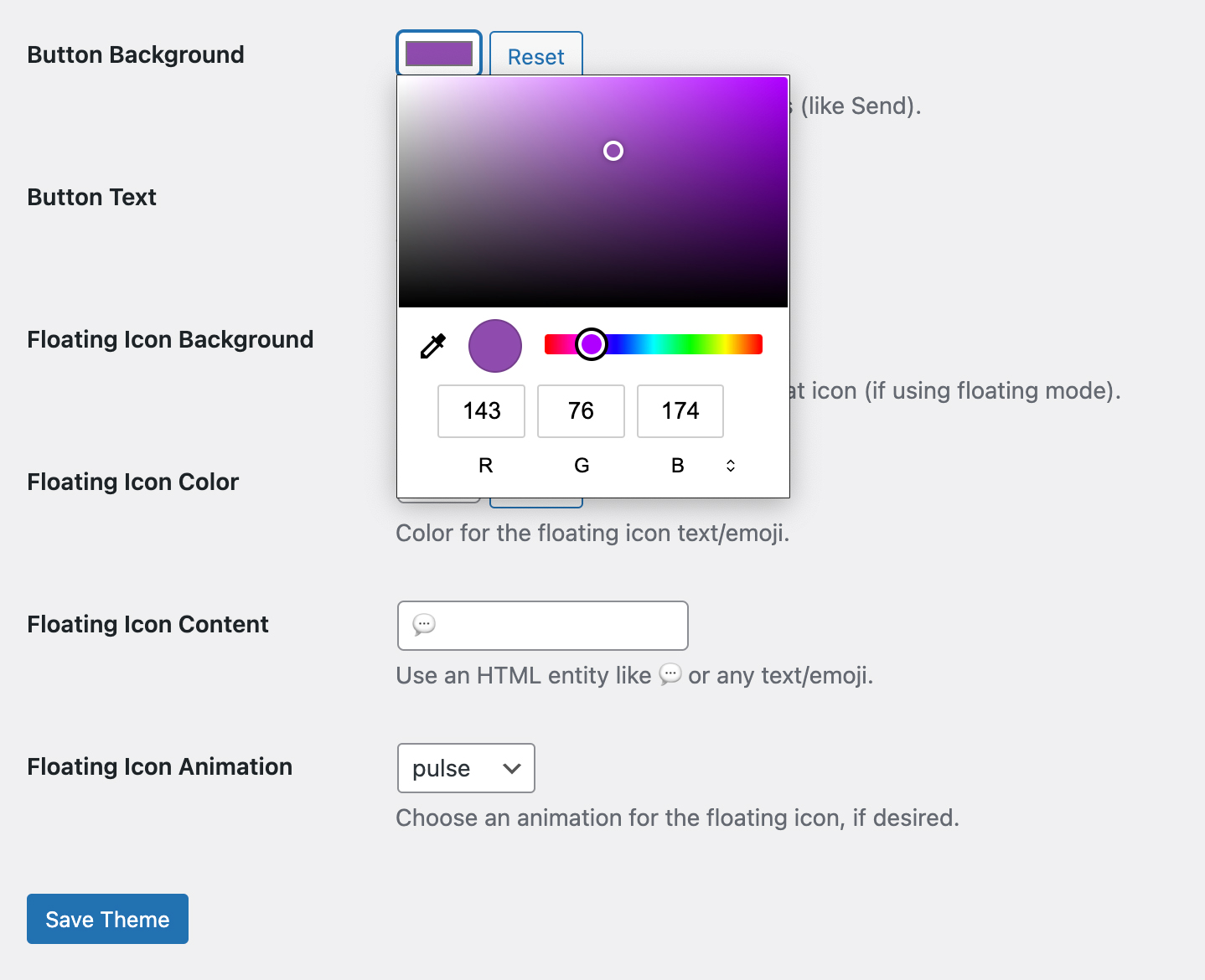
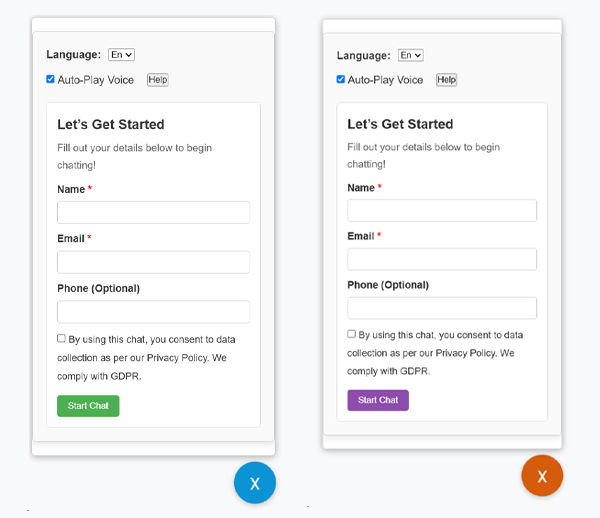
Control colors, styles, display modes (Shortcode, Block, Floating Widget), animations, and more.

Easy Management

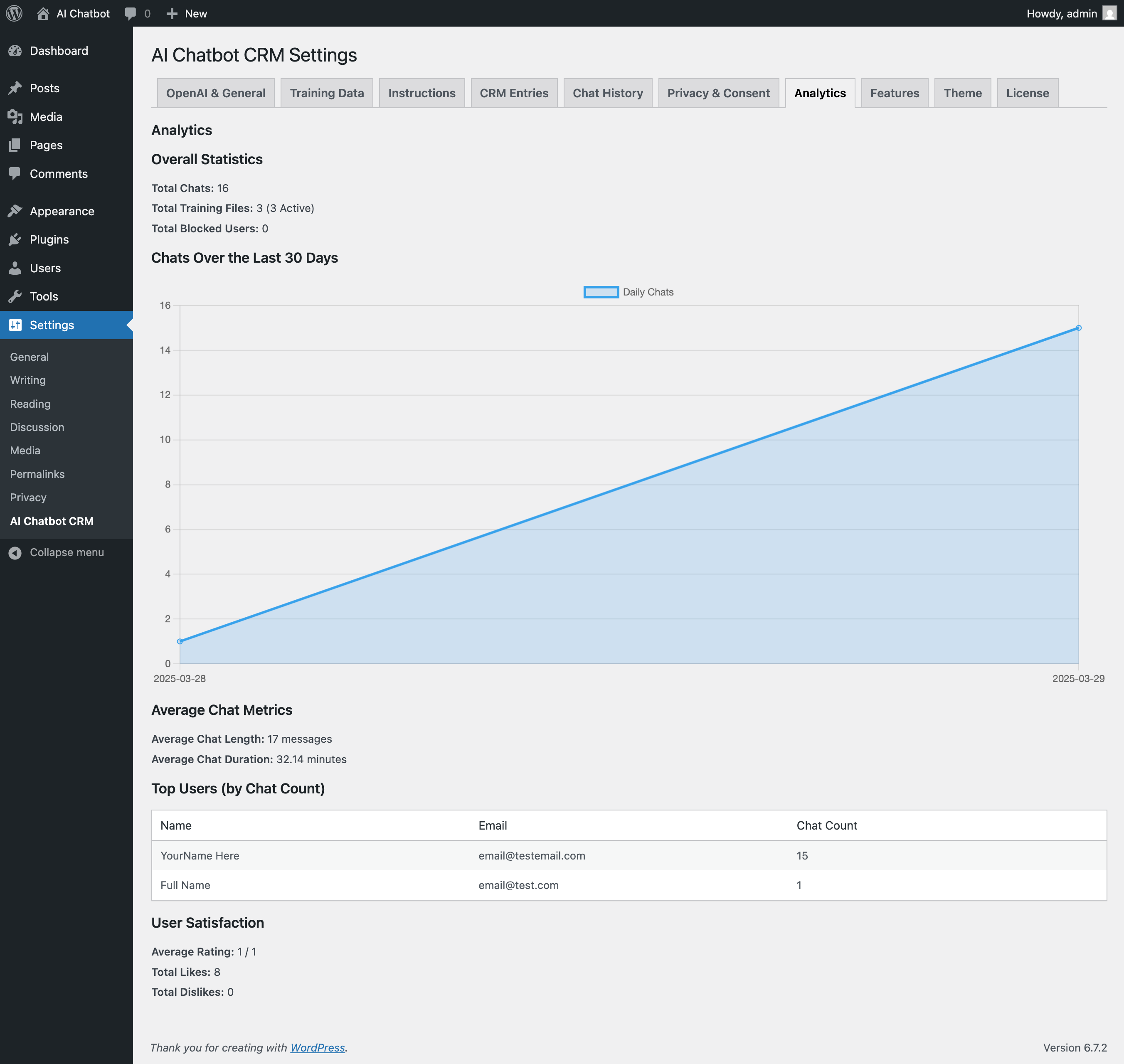
Intuitive WP admin: Manage training, view leads & chats, check analytics, customize appearance.

Secure & Licensed

Built securely. Optional reCAPTCHA. Mandatory license activation required for full functionality.

See WaviBot in Action: Full Walkthrough

Watch our detailed video (13:40) covering frontend interactions, key features, training methods, and a tour of the powerful WordPress dashboard.

Go Live in Minutes: The Process

1. Install & Activate

Upload the plugin via WordPress, activate your license using the Envato Purchase Code, and enter your OpenAI API Key in the settings.

2. Train Your Expert

Upload knowledge files (TXT, JSON, CSV), crawl website URLs, or paste text directly. Define AI behavior via Instructions & customize the theme.

3. Deploy & Engage

Easily add WaviBot to your pages/posts using the Shortcode, Gutenberg Block, or enable the customizable Floating Widget.

4. Monitor & Refine

(Optional) Review conversations in the Chat History, view captured leads in the CRM, check usage Analytics, and update the training data as needed.

Experience WaviBot’s Trained Knowledge

Interact with the WaviBot demo on our dedicated page! It’s trained on specific sample data (features, setup, FAQs). Ask questions, switch languages, use voice input , and see how WaviBot leverages its training for accurate answers.

How do I train you?
WaviBot chat avatar Upload TXT, JSON, CSV or just paste text!
WaviBot chat avatar

Transform Your Website Interactions

Instant Expert Support

Provide accurate, 24/7 answers based on your specific knowledge base.

Smarter Lead Gen

Qualify visitors with relevant info & automatically capture leads in the CRM.

Interactive Documentation

Allow users to ask natural questions about your products/services.

Sales Assistance

Guide potential customers by answering pre-sales questions accurately.

Style It Your Way

Match your brand perfectly. Customize colors, fonts, widget appearance, animations, and placement (Shortcode, Block, Floating).


Effortless WordPress Control

Manage training data, AI instructions, CRM leads, chat history, analytics, licensing, and all settings from a familiar WP interface.

Quick Setup Checklist

  • WordPress 5.0+ & PHP 7.4+
  • Writable /wp-content/uploads/ Directory
  • OpenAI API Key (Powers AI – OpenAI costs apply separately)
  • Envato Purchase Code (Mandatory for activation & full features)
  • Working WP-Cron / Server Cron

Why Developers & Businesses Choose WaviBot

Avatar of Sarah K.

Sarah K.

Web Agency Owner

“Game changer for client sites needing accurate support. The training is surprisingly easy, and the results blow generic bots away.”

Avatar of Mike P.

Mike P.

SaaS Founder

“Reduced our support tickets significantly. WaviBot handles 80% of common questions instantly using our own help docs. Vector search is key.”

Get Started with Exclusive Discounts

Limited-time tiered discounts for early adopters. Grab WaviBot at the best price!

Regular License

Full Price: $49

  • 60% OFF
    $19 for first 10 sales (Huge discount for early adopters!)
  • 40% OFF
    $29 for next 30 sales (Still a substantial saving!)
  • 20% OFF
    $39 for next 50 sales (Grab it before it’s full price!)
View Purchase Options

Extended License

Full Price: $199

  • 60% OFF
    $79 for first 10 sales (Best value for commercial use!)
  • 40% OFF
    $119 for next 30 sales (Significant commercial savings!)
  • 20% OFF
    $159 for next 50 sales (Premium support at a discount!)
View Purchase Options

Note: Tier limits (10 / 30 / 50 sales) are tracked, and prices are updated manually when a limit is reached. After Tier 3, the price reverts to the standard $49 (Regular) / $199 (Extended).


License Comparison: Regular vs. Extended

Feature / Service Regular License Extended License
Core Plugin Features All plugin features: AI Chat, Built-in CRM, Voice TTS (including advanced vibe settings), Training Data, Vector Search, etc. Identical to Regular License—includes every feature the plugin offers.
Usage on 1 Website Yes, valid for 1 website / end product. Also valid for 1 website / end product, but with extended usage rights (see Commercial Work row).
Commercial / Client Work Used for personal or your own website (single end product).
Reselling or distributing the plugin separately is not allowed.
Used for commercial or client websites (single end product).
You can charge end users access if it’s part of a dev/marketing project.
Standard 6-Month Envato Support Included as per Envato policy: bug fixes, minor guidance, plugin updates. Included plus priority/premium support features (see below).
Plugin Installation Assistance You install and configure the plugin yourself (with basic docs). Included: We help ensure your plugin is installed and activated correctly, including basic environment checks.
Styling & Theming Assistance Limited to plugin’s default Theme tab options and do-it-yourself changes. Included: We’ll advise or help with in-plugin styling (colors, icons, bubble design) to better match your brand, within existing features.
Training Data Setup Manual: You upload your own text/CSV files. We provide general how-to only. Included: We can create or format your training data files from your provided content (FAQ docs, PDFs, etc.) to ensure best AI results.
Instructions Tab & Persona Setup Generic system instructions are provided. You do custom persona/rule editing yourself. Included: We’ll assist in crafting advanced instructions, persona, and boundary rules for the chatbot.
Voice Vibe & TTS Configuration Self-service: pick your voice from plugin settings, do your own testing. Included: We’ll recommend or help fine-tune TTS voices and vibe to match your brand persona or user demographics.
Priority Response Standard response times (Envato support policy). High Priority: Your tickets or queries jump the queue for a faster turnaround.
Price (After Tiers End) $49 (one-time) $199 (one-time)

Why Choose the Extended License?

  • Commercial/Client Scenarios

    Perfect if you need to integrate WaviBot into a client’s site or if you’re charging end users for access to a broader solution.

  • Hands-On Setup Support

    The Extended License provides premium installation and styling support, saving you time if you lack in-house resources.

  • Custom Training Data Assistance

    We’ll help you transform your documents (FAQs, knowledge base, policy docs) into AI-ready files—no guesswork.

  • Priority Support

    Get faster replies for any technical issues or usage questions.

Ready to Deploy an AI That Truly Understands Your Business?

Get WaviBot today and transform your WordPress site with intelligent, accurate, and engaging automated support. Choose the license that fits your needs!

From $19 One-Time Payment / Lifetime Updates*

Includes 6 Months Premium Support

Secure Purchase via Envato   |    *Updates included as per Envato policy

Support & Common Questions

Find answers in our Comprehensive Documentation or contact us via Official Support Channel for purchase-related queries.

Very customizable! Use the AI Instructions Editor to define its persona (e.g., ‘friendly support agent’, ‘formal technical expert’), specify tone, preferred response length, and even tell it *not* to answer certain types of questions or topics outside its training.

OpenAI costs depend entirely on your usage (number of questions asked, length of answers, model used like GPT-4o mini). For many sites, costs are very reasonable, often just a few dollars per month. Training data uploads (embedding) also incur a small one-time cost. Always check OpenAI’s latest pricing page for details.

No, it’s straightforward. After installing the plugin, you’ll be prompted to enter your Envato Purchase Code in the plugin settings. It connects securely to our server (license.wavi.one) to verify and activate. It takes just a moment and is required for the plugin to work.

WaviBot is designed to work with standard WordPress themes and plugins. It uses shortcodes, Gutenberg blocks, and a floating widget for display, making it compatible with most environments. The built-in CRM is self-contained. While direct integration hooks for *specific* third-party plugins aren’t built-in by default, its standard implementation method ensures broad compatibility.